About the project
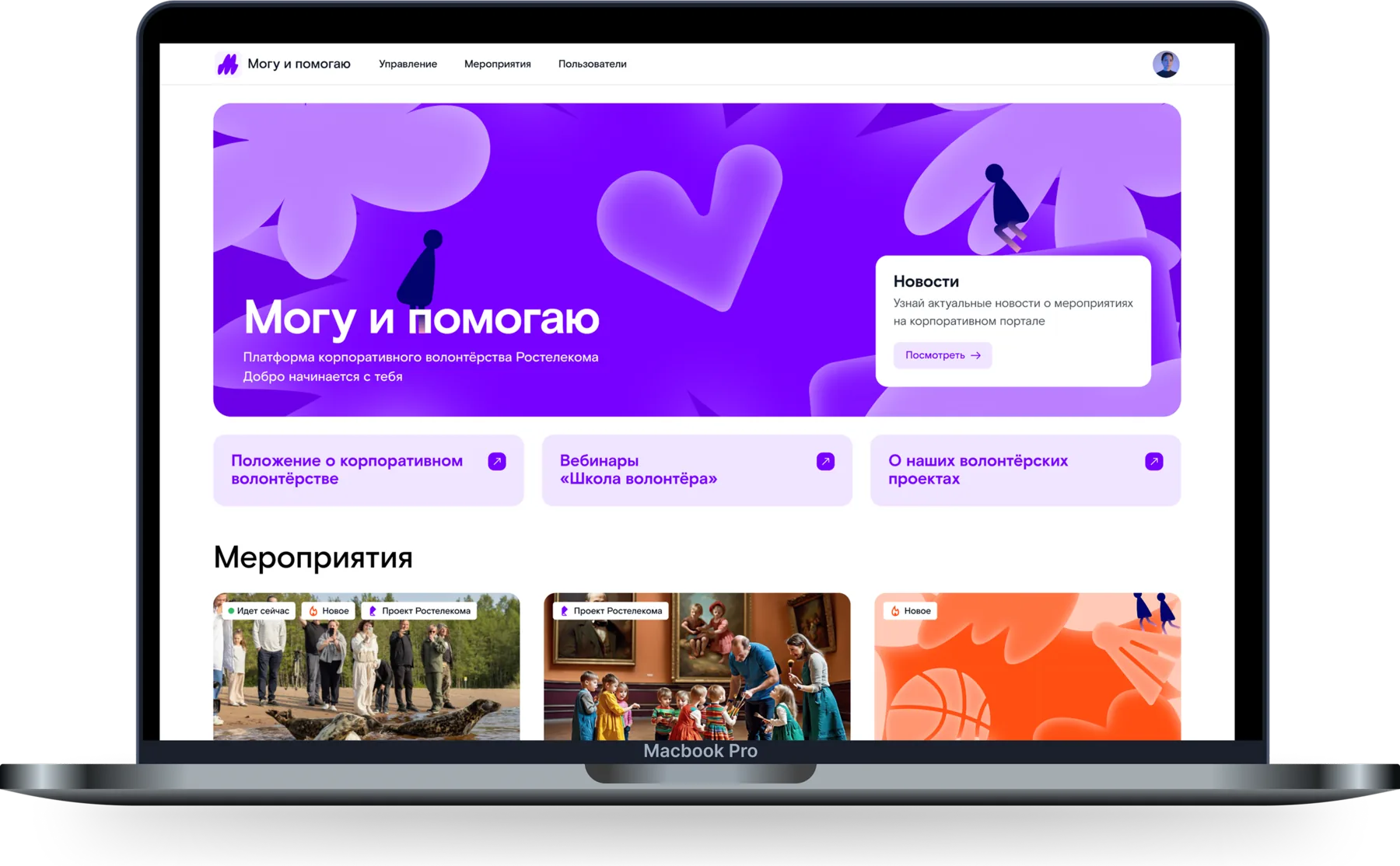
Mogu i Pomogayu (“I can, and I help”) is a corporate volunteering portal. The platform helps employees find events, sign up for them and report on their participation; coordinators use it to create events and run them in their own region or nationwide.
My role
I was the only designer on the product. The client arrived with no spec: requirements were clarified as we went, and the product’s structure came together with them.
I designed the portal’s interfaces and product logic: the coordinator’s workspace, the event lifecycle and role-based permissions across three roles. The product’s defining feature is the national program, which unfolds into a separate event in each region.
The coordinator’s workspace
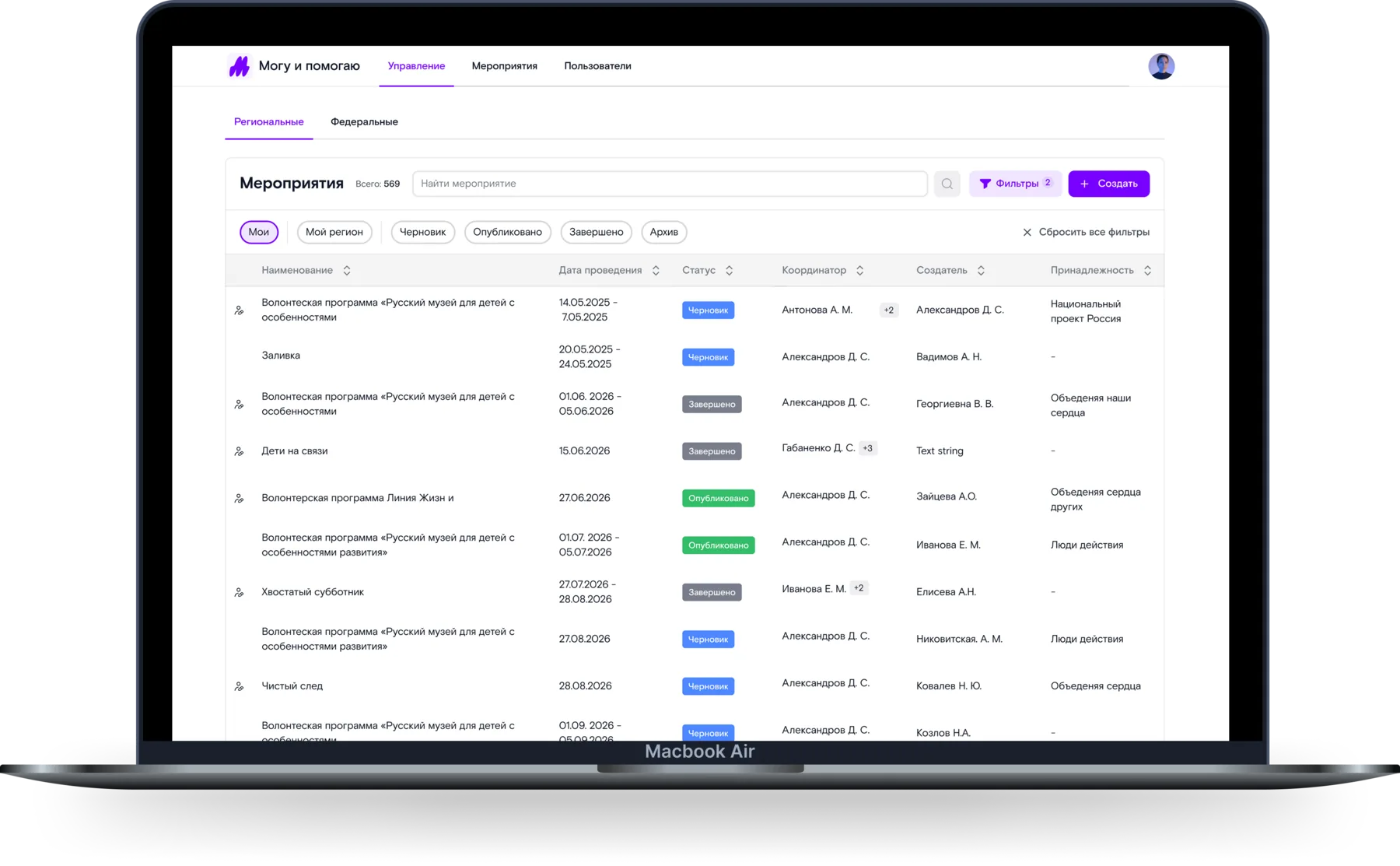
One section holds every event in the system: find the one you need among hundreds of rows and go straight to the action you want.
This section was designed with no brief: the set of columns, how the table behaves at volume and the filtering logic were all worked out along the way. Status moved into its own column, the filters people reach for most became quick filters above the table, and the full filter set went into a panel of its own.
Three event types
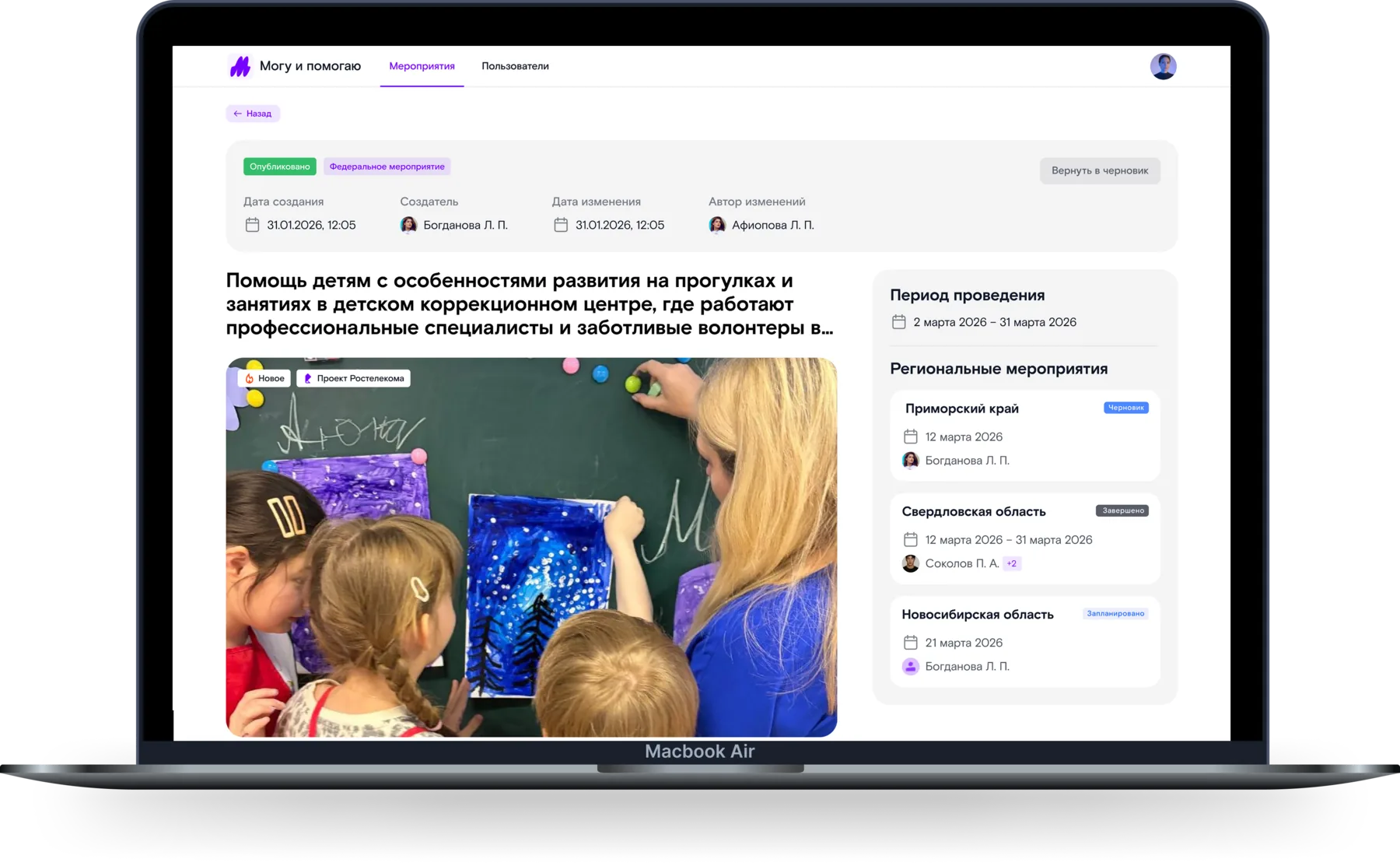
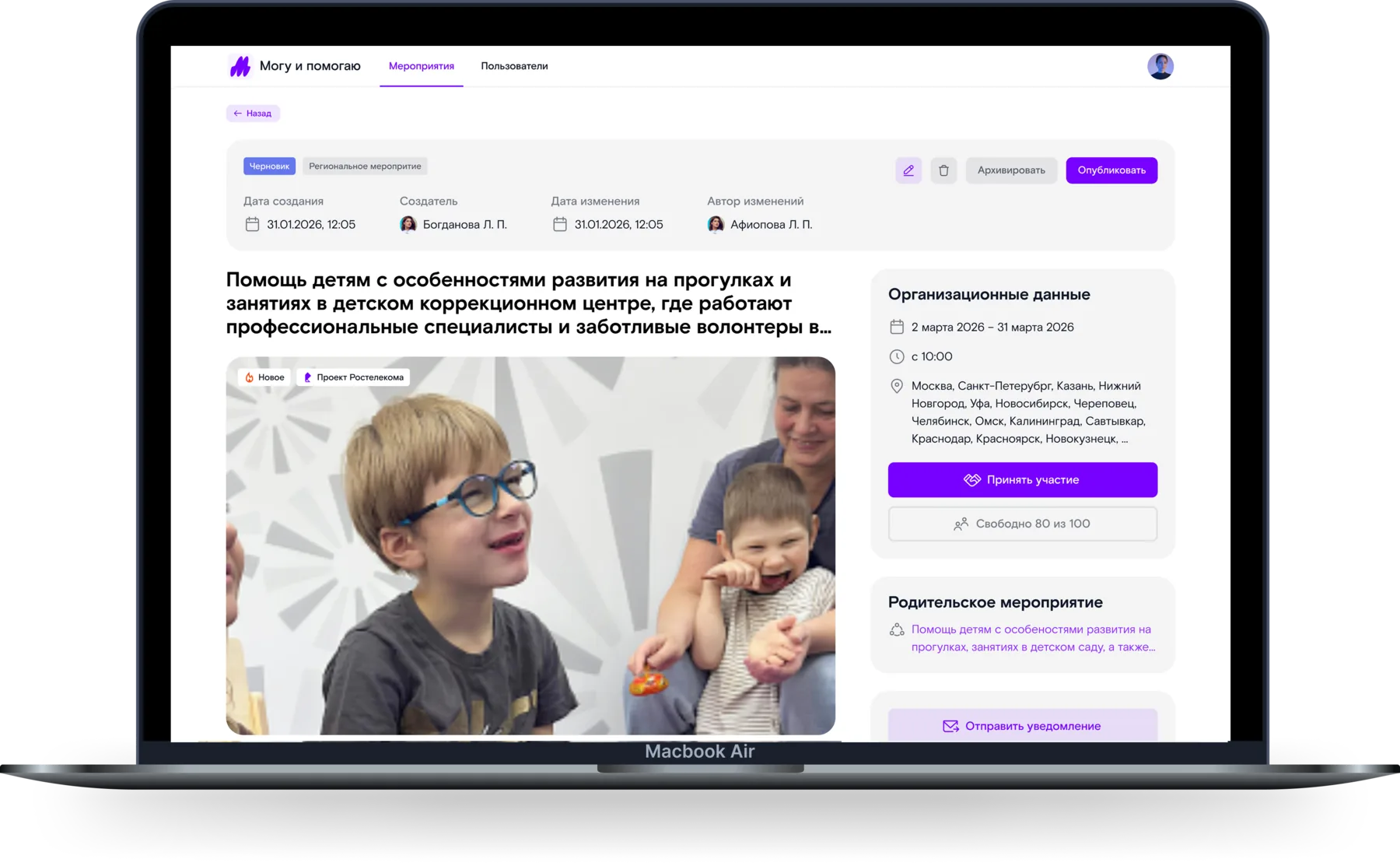
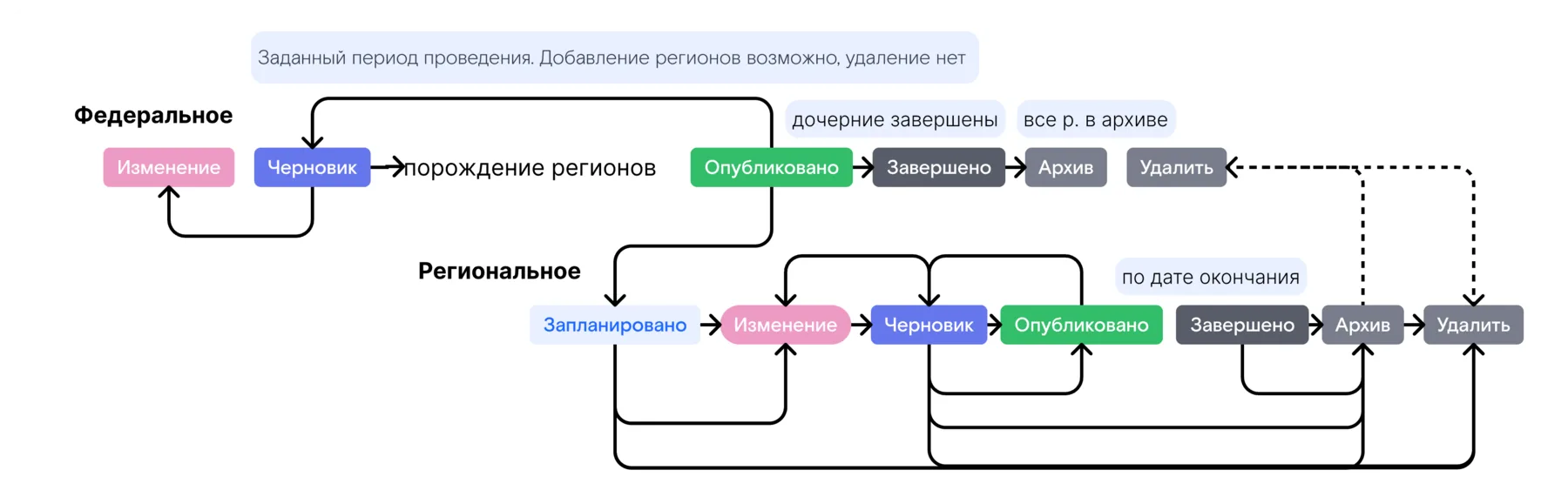
A standalone regional event runs in one region. A national event is one program running in several regions at once. A regional child event is part of one of those programs, with a link to its parent. The relationship is more involved than it looks. Publishing a national event does not just change its status: it creates one regional event for every region-coordinator pair, and each one inherits the parent’s data.
Lifecycle
Child events arrive with the status Planned: the coordinator fills in the details for their region, and the event becomes a draft. A standalone event starts there.
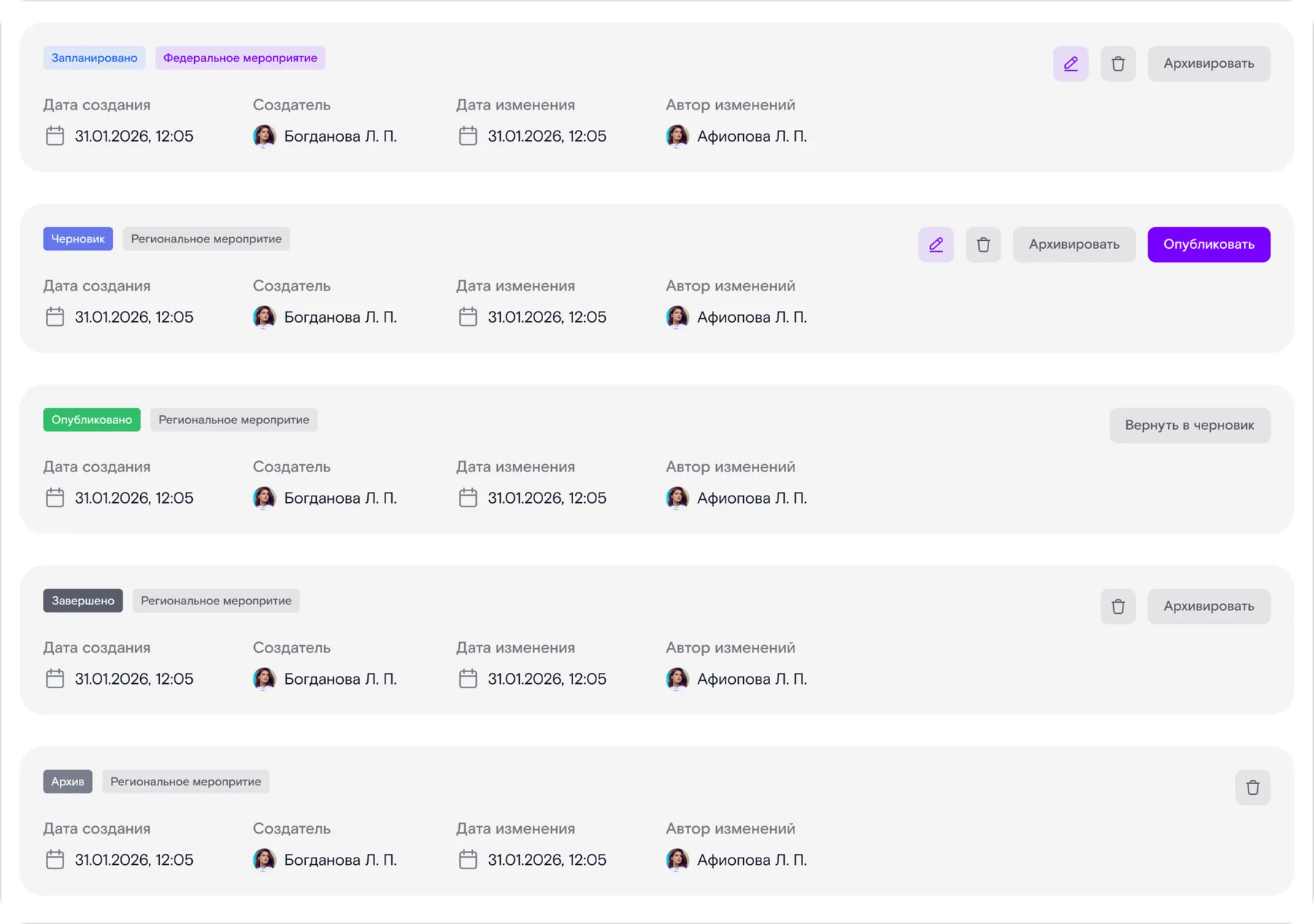
From there the path is the same: the draft gets published, and once the event has taken place, it is completed and archived. The national event closes last, after its regional ones. Status decides both whether volunteers see the event and what the coordinator can do with it.
Edits and participants
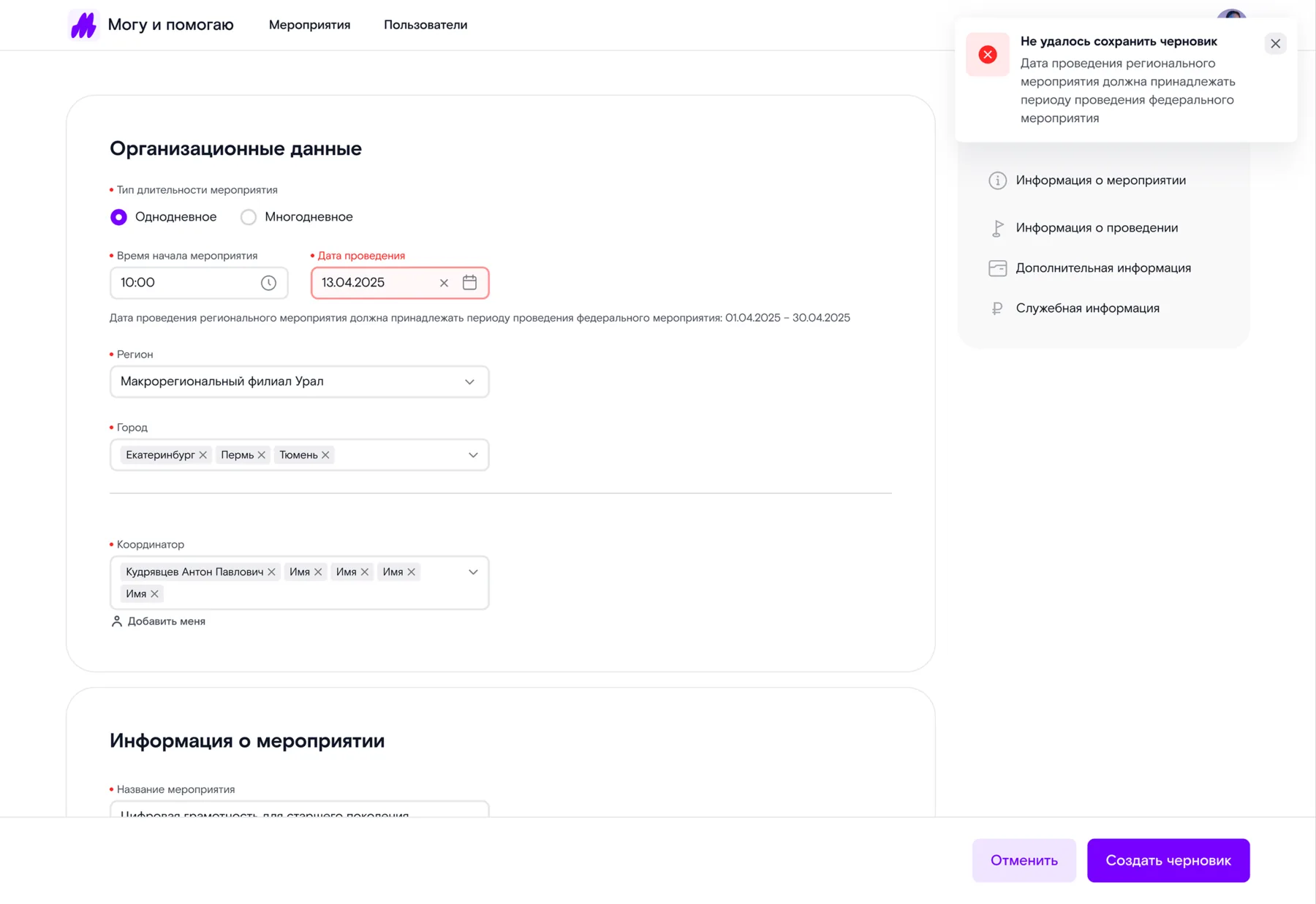
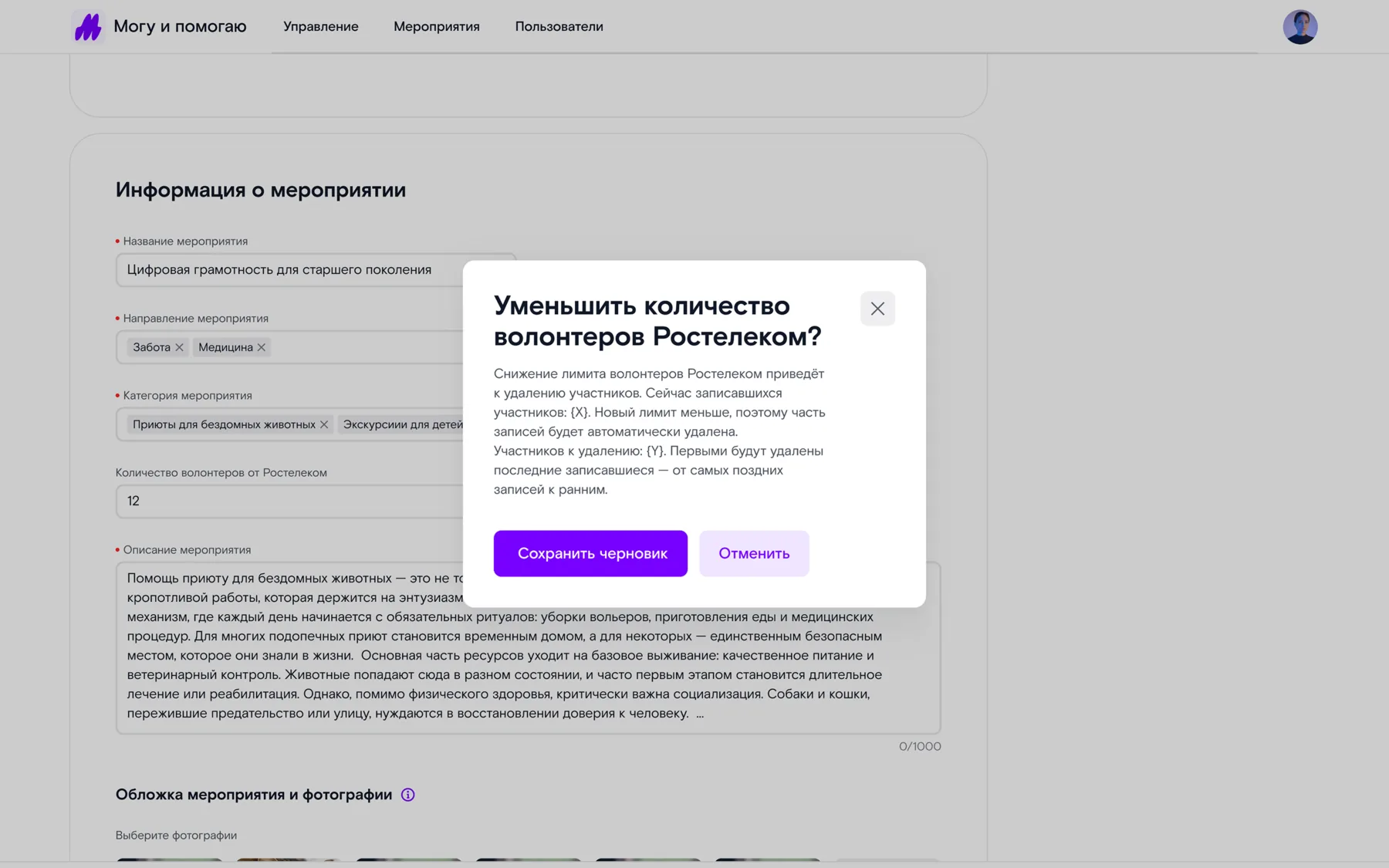
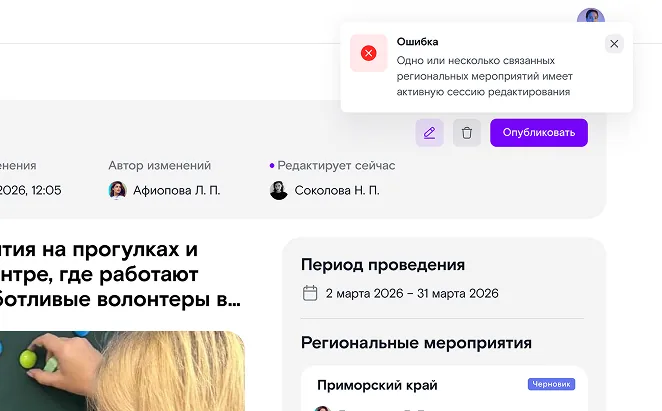
A published event already has people signed up for it, so edits are limited and each one was designed with its consequences in mind. A child event has to fit inside the parent program’s dates, and past dates are locked. Lowering the volunteer cap deletes some sign-ups, so the system warns you before you confirm. Concurrent editing is blocked, so edits can’t be lost.
The other side
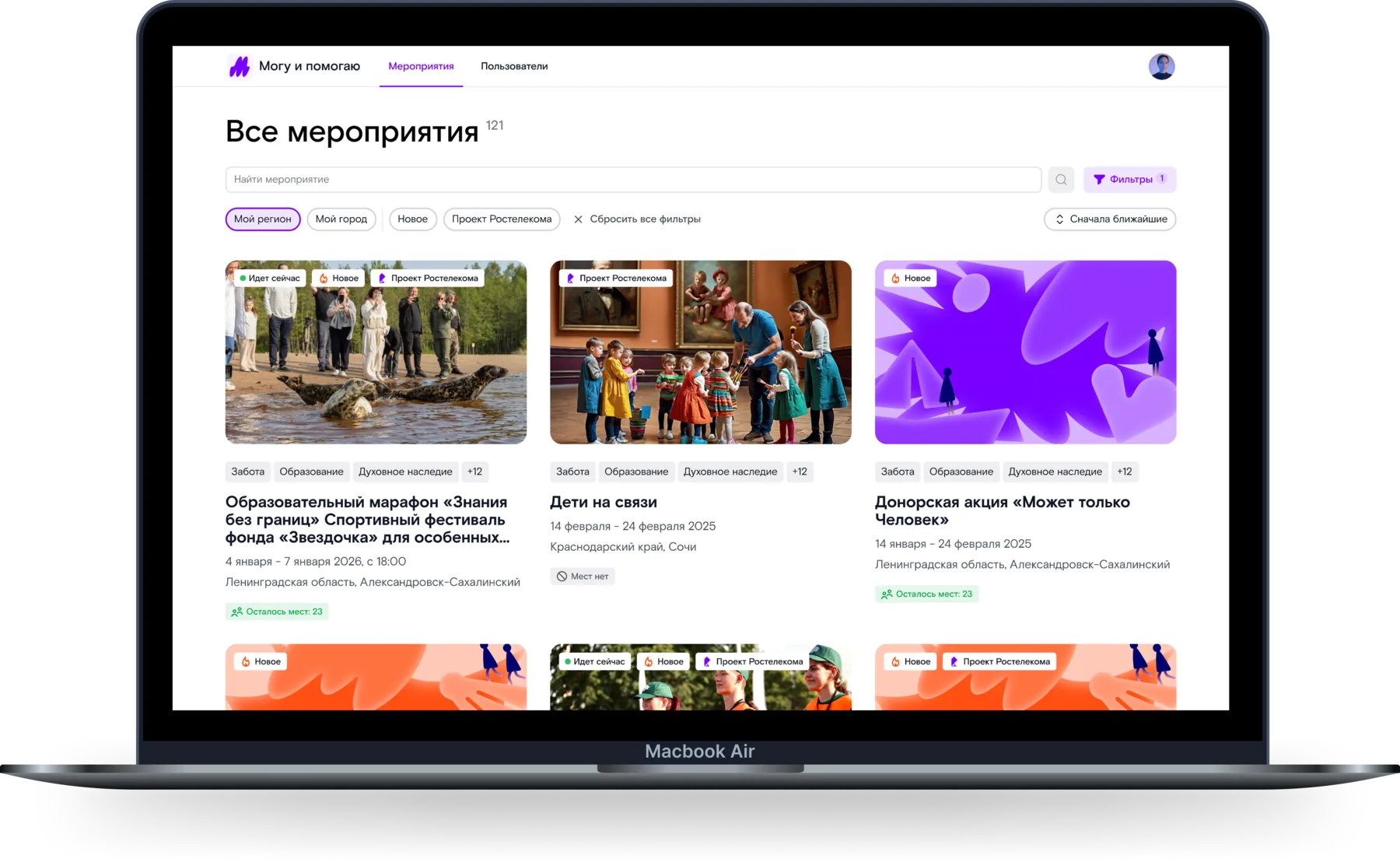
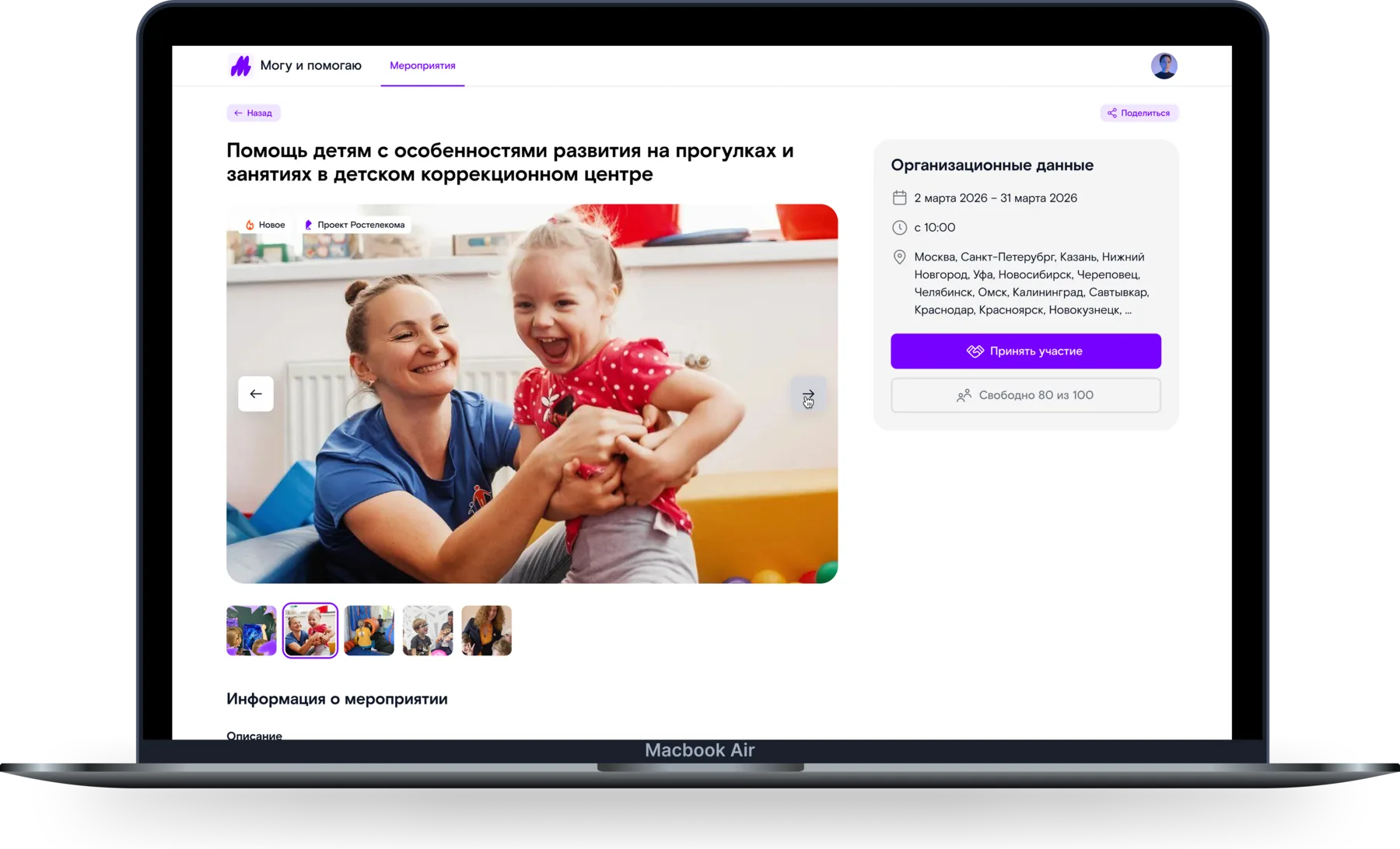
For a volunteer the same event looks completely different. No statuses, nothing to manage: a cover image, a photo gallery, a description, addresses and a counter of spots left. The page is dense but not overloaded: everything you need to decide whether to take part sits on one screen, and signing up takes one tap.
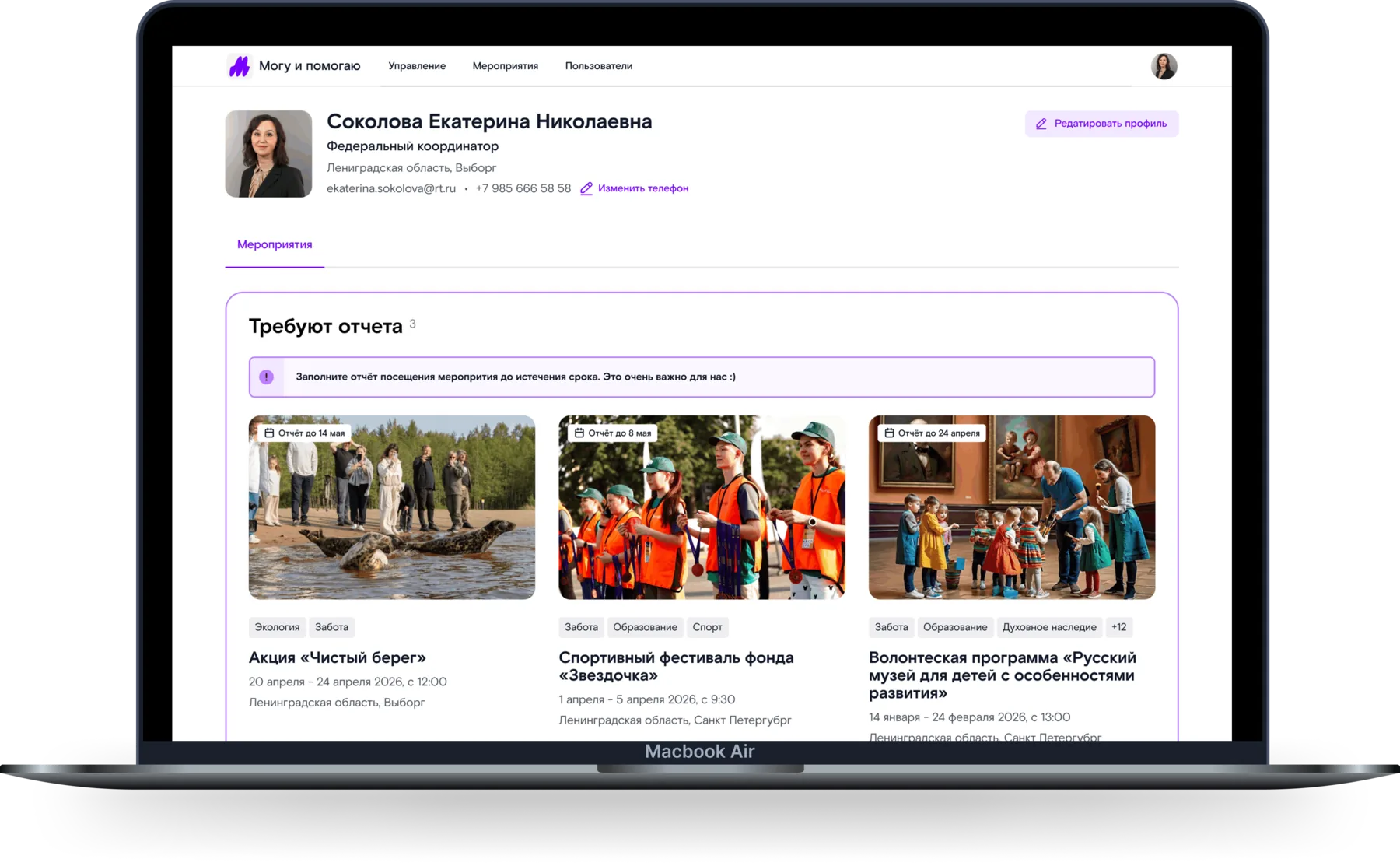
The profile groups your sign-ups by where they stand: what needs a report, what’s coming up, what’s already done.
How it ended
The portal shipped to production and customers are actively using it. I ran the product alone for ten months: the employee and coordinator scenarios, roles and states, cascading deletion, errors and validation, and the interface copy. The interface reuses Rostelecom’s design system, which I extended with whatever the product’s scenarios were missing. Screens went into development in batches, alongside the requirements being pinned down.